How to Use AI Tools for Daily Tasks
(A Real, Honest Conversation — No Tech Talk)
Let me start with something very simple.
Most people don’t wake up lazy.
They wake up already tired.
Tired of emails.
Tired of planning.
Tired of trying to remember everything at once.
You open your laptop to get some work done.
Your phone buzzes.
You suddenly remember you need groceries.
A calendar reminder pops up.
And just like that, half the day disappears.
Not because you didn’t work —
but because your attention was pulled in ten directions.
This is where AI tools for daily tasks actually help.
Not in a flashy, sci-fi way.
But in a quiet, practical, everyday way that makes life feel a little lighter.
No tech background needed.
No complicated setup.
Just small support where your brain usually gets tired.
Why AI Helps in Real Life (Not Just in Articles)
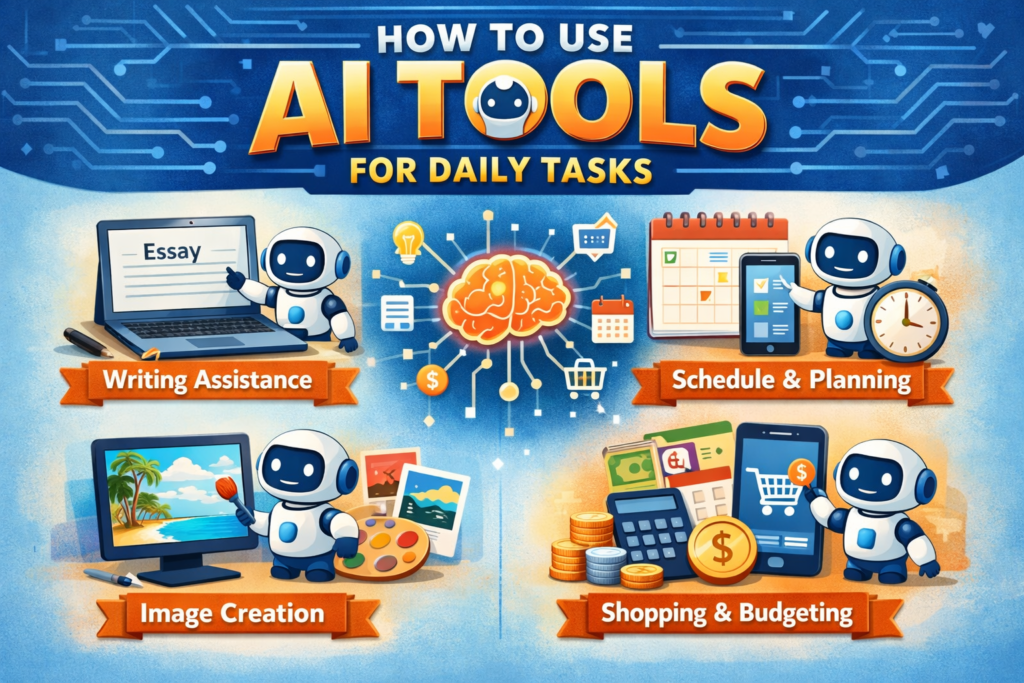
Here’s the honest truth:
AI doesn’t replace your thinking.
It replaces mental overload.
Think about how many tiny decisions you make every single day:
- How should I reply to this email?
- What should I cook tonight?
- Where do I even start this task?
- Am I forgetting something important?
Each decision feels small.
But together, they drain your energy.
AI helps by giving you a starting point, so you don’t burn energy before real work even begins.
And that’s why it feels helpful instead of overwhelming.
Emails and Writing: Where People Feel Relief First
Let me describe a situation you’ve probably lived.
It’s late evening.
You’re done for the day.
You’re mentally checked out.
Then you remember —
you still haven’t replied to that email.
You open it.
Read it.
Close it.
Open it again.
Why does this happen?
Because writing feels much harder when you’re tired.
How AI Fits Naturally Here
Instead of forcing yourself to write the “perfect” email, you just explain the situation like you would to a friend:
“I need to reply to a client. I agree with the proposal, but I need two extra days. Keep it polite and professional.”
That’s it.
You get a clean draft.
You change one or two lines to match your voice.
You send it.
No stress.
No staring at a blank screen.
No overthinking every word.
Real-Life Example: Saying “No” Without Feeling Awkward
Imagine a friend invites you to an event, but you’re overloaded with work.
You don’t want to sound rude.
You don’t want to give a long explanation either.
This is where AI really helps.
You tell it the situation, guide the tone, and it gives you a balanced response.
You stay honest.
You stay kind.
And you avoid that uncomfortable feeling.
Planning Your Day Without Feeling Like a Robot
Let’s be honest about productivity advice online.
“Wake up at 5 AM.”
“Plan every minute.”
“Never get distracted.”
That sounds nice — but real life doesn’t work that way.
AI-based planning works better because it’s flexible, not strict.
A Normal Day Example
Let’s say tomorrow you have:
- two meetings
- one important task
- one personal errand
Instead of cramming everything into a tight schedule, AI helps you:
- see what’s actually realistic
- leave buffer time
- protect a few focus hours
And when something runs late (because it always does), the plan adjusts.
That alone removes a lot of daily anxiety.
Big Tasks Feel Heavy — AI Makes Them Lighter
Here’s another honest situation.
You’ve been putting off “organizing your workspace” for weeks.
Not because it’s difficult —
but because it feels overwhelming.
AI breaks it down into steps:
- clear the desk
- sort papers
- remove unused items
- reorganize essentials
Now it’s not one big scary task.
It’s four small ones.
And starting suddenly feels possible.
Research Without Losing Half Your Evening
We’ve all done this.
You search something “quickly.”
You open one tab.
Then another.
Then another.
An hour later, you’re tired — and still unsure.
AI helps you avoid that.
You ask one clear question and get:
- a simple explanation
- practical suggestions
- clear next steps
Perfect when you want answers — not homework.
Using AI at Home (Where It Really Matters)
AI isn’t just useful for work.
Dinner Time (Very Real Example)
It’s 7 PM.
You’re hungry.
You open the fridge.
Nothing looks good.
Instead of ordering food, you list what you have and ask:
“What can I cook with this in 30 minutes?”
You get instant ideas.
Less spending.
Less stress.
Less decision fatigue.
Understanding Money Without Complicated Tools
Another real situation.
You feel like money disappears every month, but you don’t know why.
You list your expenses (without sensitive details) and ask:
“Where am I overspending?”
AI organizes everything clearly.
Sometimes, just seeing the pattern is enough to change habits.
How to Start (Without Overdoing It)
Here’s the biggest mistake people make:
They try to use AI for everything at once.
Don’t do that.
Start with just one thing:
- one email
- one daily plan
- one decision
That’s enough.
Consistency matters more than tools.
Frequently Asked Questions (FAQ)
| Question | Answer |
| 1. Is AI safe to use for daily tasks? | Yes, as long as you don’t share sensitive information like passwords or bank details. |
| 2. Do I need technical knowledge to use AI? | No. If you can type a message, you can use AI. |
| 3. Can AI really save time? | Yes — especially with writing, planning, and decision-making. |
| 4. Will AI replace my job? | No. It supports work; it doesn’t replace human judgment or creativity. |
| 5. Is free AI enough for daily use? | For most people, free tools are more than enough. |
| 6. Can AI help non-native English speakers? | Absolutely. It improves clarity, tone, and confidence. |
| 7. Does using AI make people lazy? | No. It helps people focus on meaningful work rather than busy work. |
| 8. Can AI help with personal organization? | Yes. From to-do lists to daily routines, it works very well. |
| 9. Is AI useful for freelancers or small businesses? | Definitely. It saves time and reduces administrative workload. |
| 10. What’s the best way to begin? | Pick one small daily problem and use AI for that — nothing more. |